Portfolios: create, rename, delete (General is default)
What you’ll learn
How portfolios work in D2C Lab, how to create, rename, and delete them, and why General is the default portfolio.
What is a Portfolio?
A Portfolio is a simple way to organize your product ideas by brand/project.
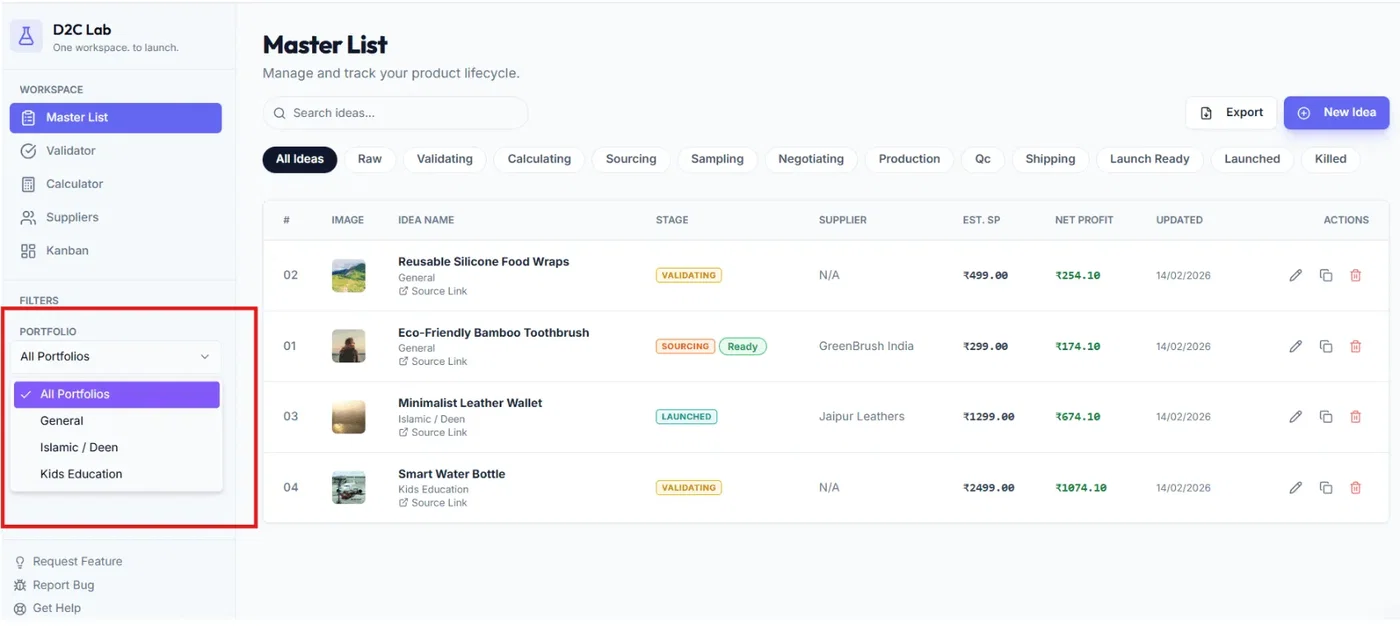
Examples:
Brand A
Brand B
Client projects
Country-specific launches
Portfolios apply across the whole app, so you can keep different product pipelines clean and separate.
General is the default (and cannot be deleted)
Every account starts with a portfolio called General.
New ideas are added to General by default.
General cannot be deleted.
This ensures you always have a safe place for ideas even if you don’t want to organize anything yet.
Where you choose a portfolio
You can set/change an idea’s portfolio from:
Add Idea (while creating your first idea)
Edit Idea (Master List → pencil icon)
If you don’t choose anything, it stays in General.
Create a new portfolio
Use this when you want a separate workspace view for a brand or project.
Steps
Open the Portfolio selector (inside the idea modal)
Click Create new portfolio
Enter a name (example: “DeenCraft”)
Save
Result: The new portfolio appears in the dropdown and can be selected for ideas.
Tip: Keep names short (1–3 words) so filters stay clean.
Rename a portfolio
Use this when you want to update your portfolio name without changing the ideas inside it.
Steps
Open the portfolio selector
Find the portfolio you want to rename
Click Rename
Update the name
Save
Result: All ideas inside that portfolio stay there — only the name changes.
Delete a portfolio
Use this only when you are sure you no longer need that portfolio.
Steps
Open the portfolio selector
Find the portfolio
Click Delete
Confirm
Important:
General cannot be deleted.
Only user-created portfolios can be deleted.
Tip: Before deleting, move any important ideas out of that portfolio into another portfolio (or back to General).
Best practices
If you have only one brand, you can stay in General.
If you have multiple brands/projects, create 1 portfolio per brand.
Don’t create too many portfolios — it’s better to keep them high-level.
Related articles
Portfolios: filtering across all tabs
Your first product idea (create + edit)
Master List: edit, duplicate, delete