Master List: edit, duplicate, delete
What you’ll learn
How to use the three main actions in the Master List:
Edit (pencil)
Duplicate
Delete
Where these actions live
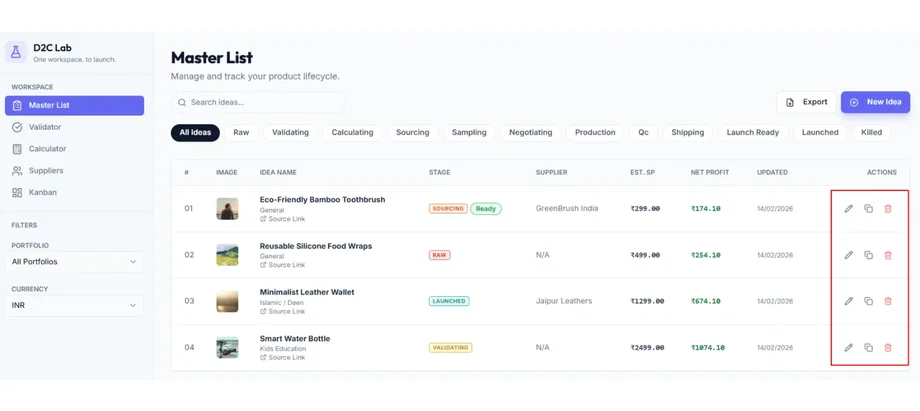
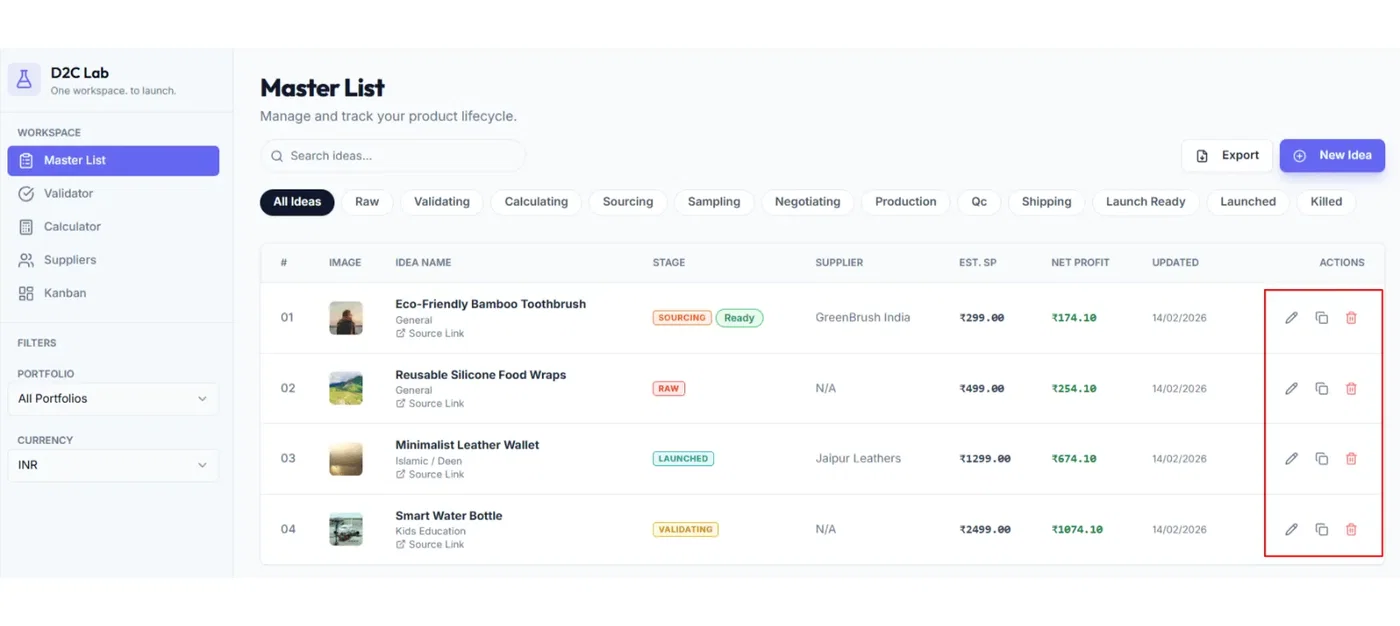
Go to Master List. For each idea, you’ll see quick actions (usually on the right side of the row/card).
1) Edit (pencil)
Use Edit when you want to update the idea’s core details.
What Edit lets you change
Inside the Edit popup, you can update:
Idea name
Selling price
Product URL
Image
Stage (dropdown)
Notes
Portfolio (defaults to General, but you can move it to any portfolio)
How to edit an idea
Find the idea in Master List
Click the pencil icon
Make your updates
Click Save
Tip: If you’re only reorganizing, changing the Portfolio is the fastest way to keep your workspace clean.
2) Duplicate
Use Duplicate when you want to create a variation of an existing idea (without rebuilding everything from scratch).
Common reasons to duplicate
testing a different size/material/variant
testing a different bundle
testing a different price positioning
creating multiple versions before supplier outreach
How to duplicate an idea
Find the idea in Master List
Click Duplicate
Rename the new idea so it’s obvious it’s a variant
Recommended naming:
“Product Name — Variant A”
“Product Name — Bundle Version”
“Product Name — Premium”
Tip: After duplicating, update the selling price, notes, and portfolio immediately so you don’t confuse the two.
3) Delete
Use Delete when you want to permanently remove an idea.
Important
Deleting removes the idea (and its linked data) from your workspace.
If you’re not 100% sure, don’t delete — use Kill in Validator instead.
Better alternative: Kill (recommended)
Kill sets the idea stage to Killed
it does not delete anything
you can revive it later
How to delete an idea
Find the idea in Master List
Click Delete
Confirm deletion (if prompted)
Best practices
Use Duplicate for variations instead of creating new ideas from scratch.
Use Kill for “not now” ideas instead of Delete.
Rename duplicated ideas immediately so your Master List stays readable.
Related articles
Master List: fields, actions, stage pill
Stages explained (Raw → Launched + Killed)
Validate with checklists (Validator)
Portfolios (how organizing works)