Calculator: “Ready for launch” (what it changes / doesn’t change)
What you’ll learn
What the Ready for launch action in the Calculator does, what it does not do, and when you should use it.
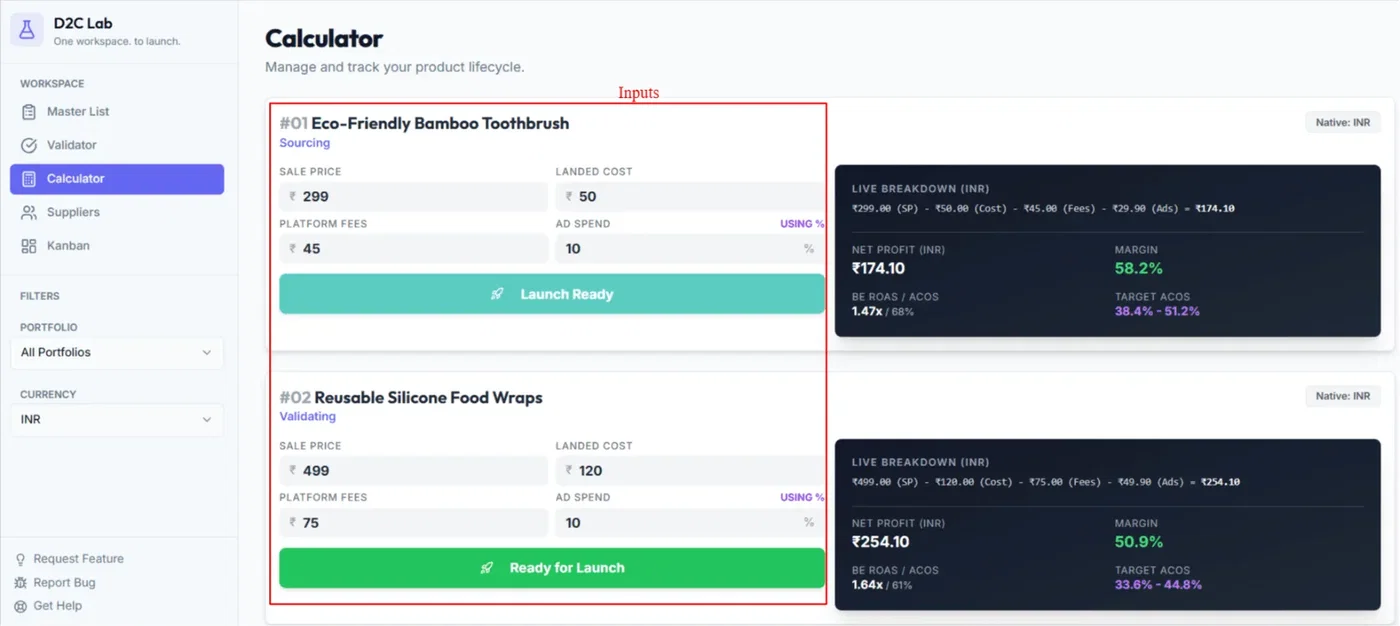
What “Ready for launch” is
Ready for launch is a simple stage change.
It’s used when:
your unit economics look good,
you’re confident the product is viable,
and you’re prepared to move into launch preparation.
What it changes
When you click Ready for launch:
The product stage becomes Launch Ready.
That’s the main purpose — it updates the stage so your Master List clearly shows the product is ready to go live.
What it doesn’t change
Clicking Ready for launch does not:
move your Kanban card to another column automatically
change your Kanban stage
choose a supplier winner
create a Kanban card (Kanban is created when a supplier contact exists)
In short: it’s a stage label for launch readiness — not an execution automation.
When should you use it?
Use Ready for launch when:
you’ve modeled profitability in the Calculator and margins look healthy
you’re done with major sourcing/production work (or you’re confident the timeline is under control)
you’re ready to focus on launch steps
If you’re still unsure about costs, supplier, or feasibility, stay in earlier stages.
Best practices
Treat Launch Ready as your final checkpoint before going live.
Use Notes (or the Kanban card modal) to record:
target launch date
remaining tasks
any assumptions you used in your calculator
Related articles
Launch Ready vs Launched (what each means)
Calculator: inputs + live breakdown + net profit sync
Model profitability (Calculator)
How Kanban starts automatically (supplier contact rule)