Your first product idea (create + edit)
What you’ll learn
How to create your first product idea in D2C Lab, what fields to fill, and how to edit it later.
Create your first idea
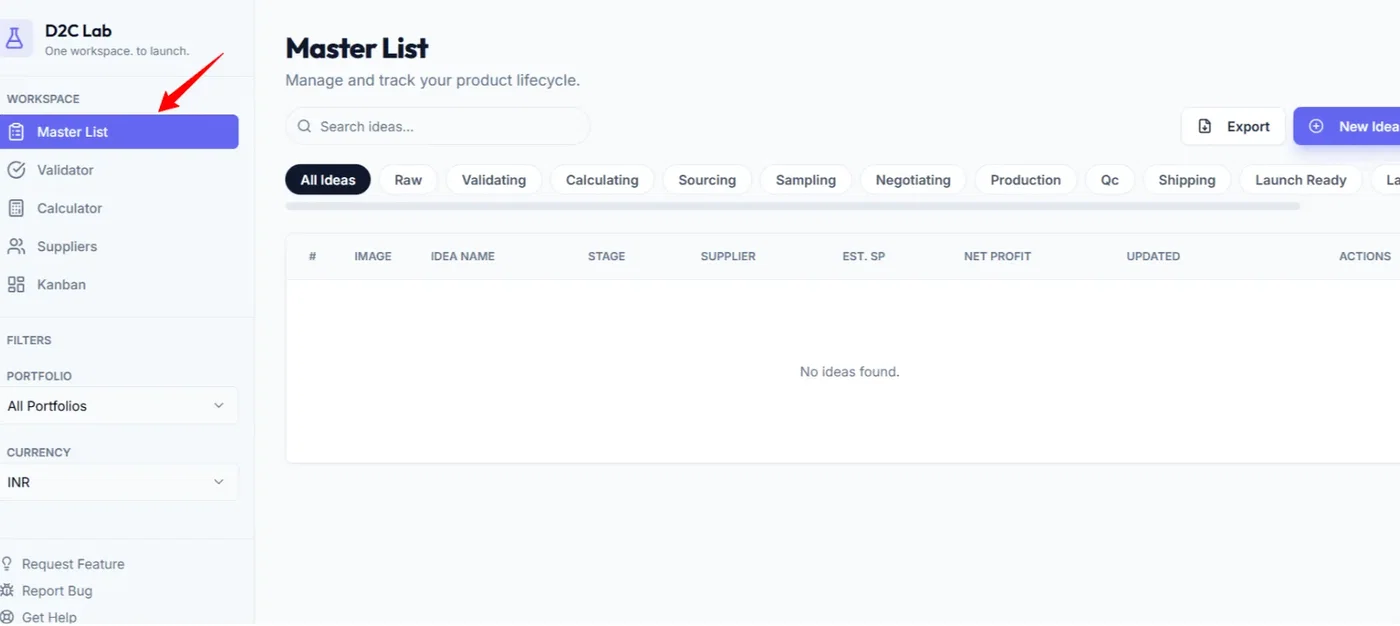
Step 1 — Open the Master List
Go to Master List (this is your command center for all product ideas).
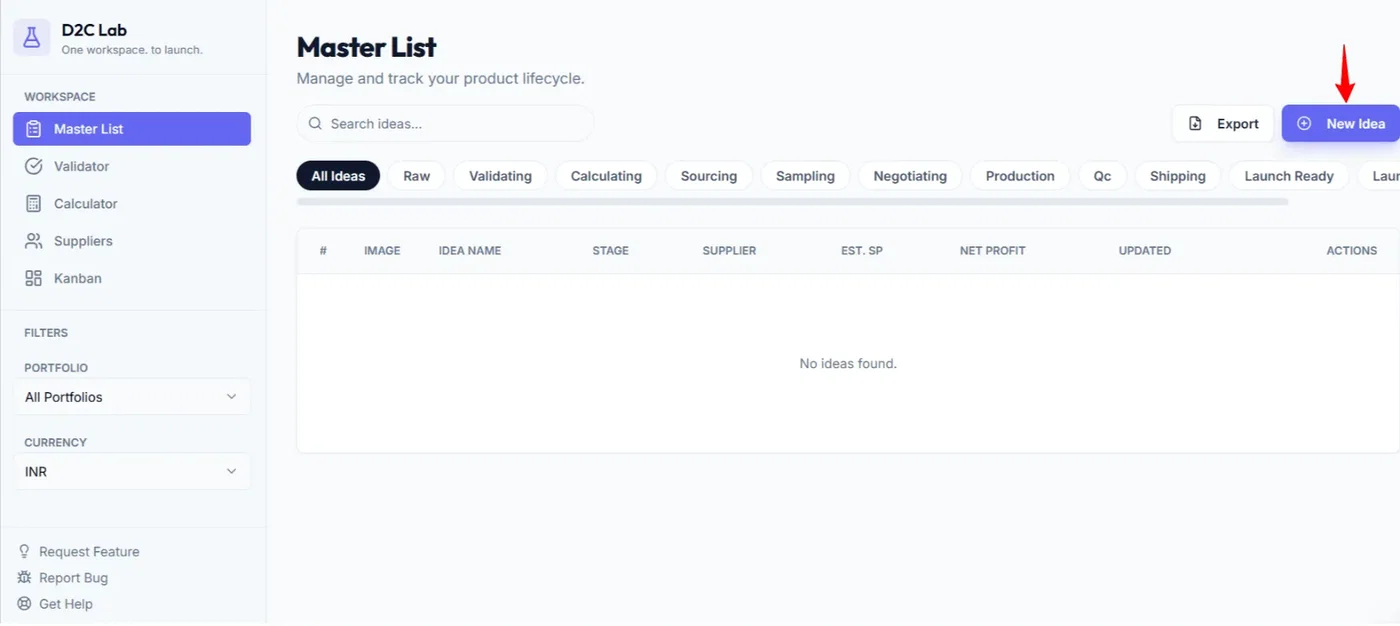
Step 2 — Click “New Idea”
Use the New Idea button to create a new product idea.
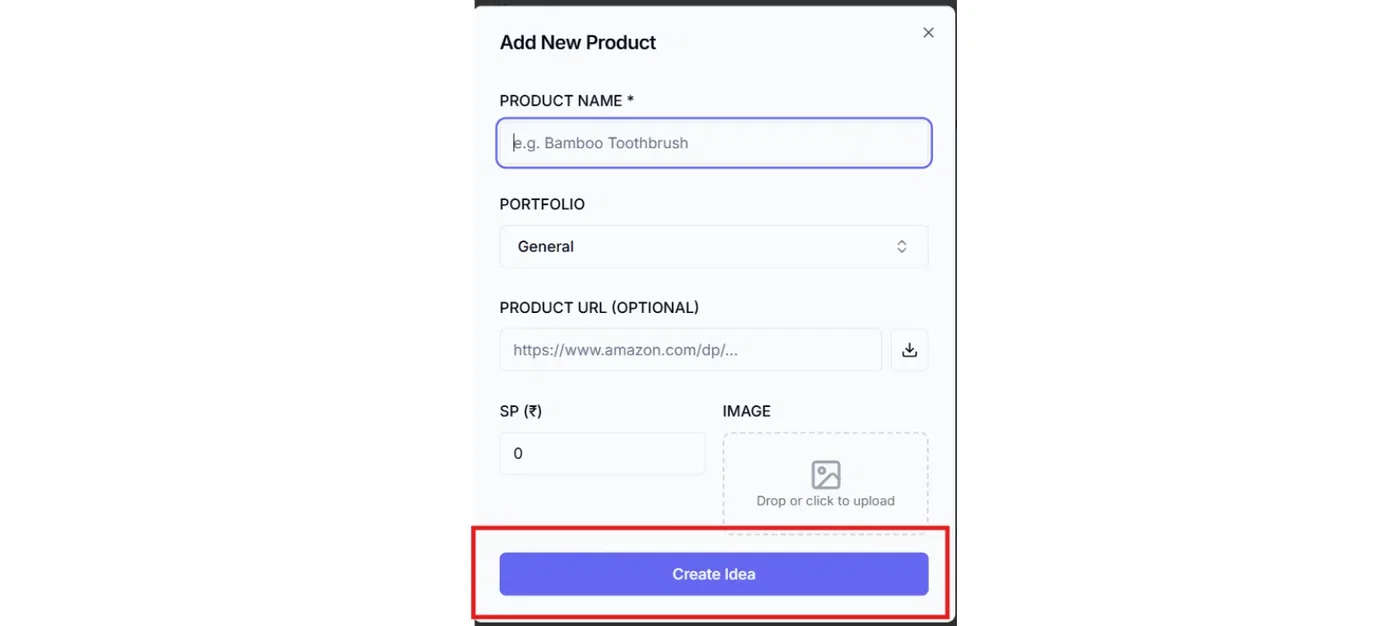
Step 3 — Fill the key fields
Keep it simple. Add the essentials first:
Idea name (clear, specific)
Selling price (your expected selling price)
Product URL (optional, but helpful if you’re referencing an existing listing)
Image (optional, but recommended so it’s easy to scan your list)
Stage (start with Raw)
Notes (optional: quick thoughts, variations, angle, positioning)
Portfolio (optional)
By default, your idea will be saved under General.
If you want it under a different portfolio (brand/project), select that portfolio here.
Step 4 — Save
Click Save.
Result: Your idea appears in the Master List.
Edit an idea (update details anytime)
Step 1 — Find the idea in Master List
Locate your idea card/row.
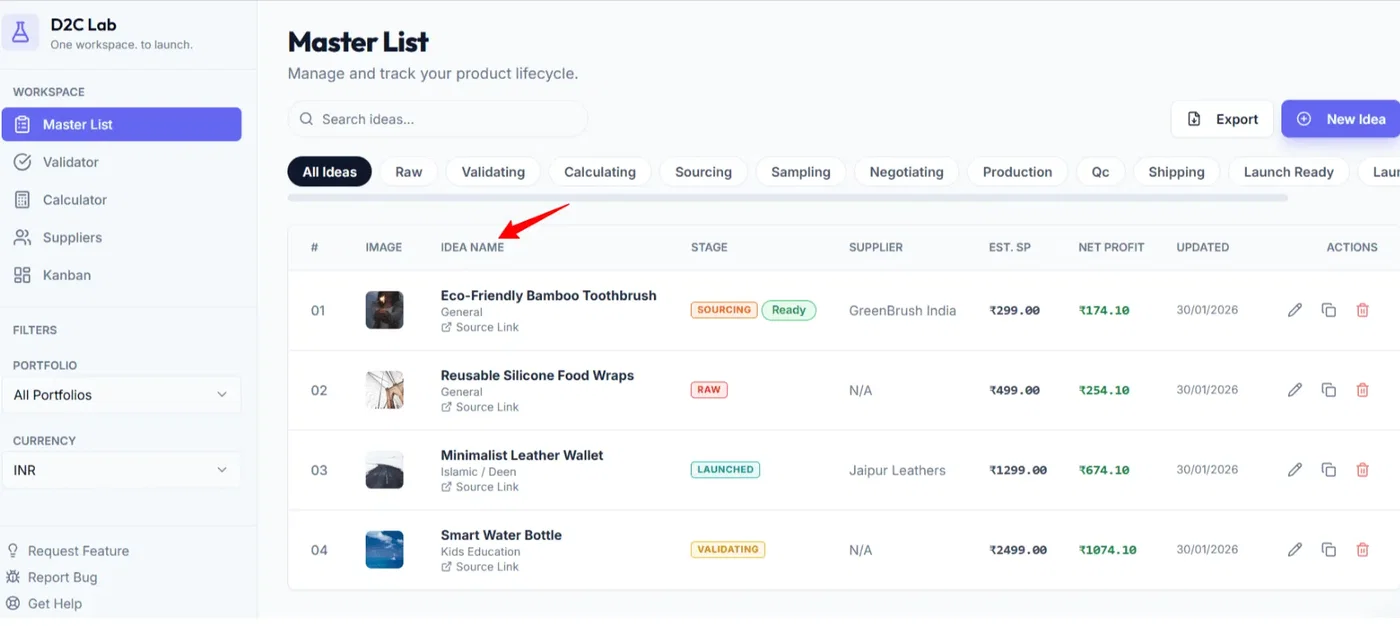
Step 2 — Click the edit (pencil) icon
This opens the edit popup.
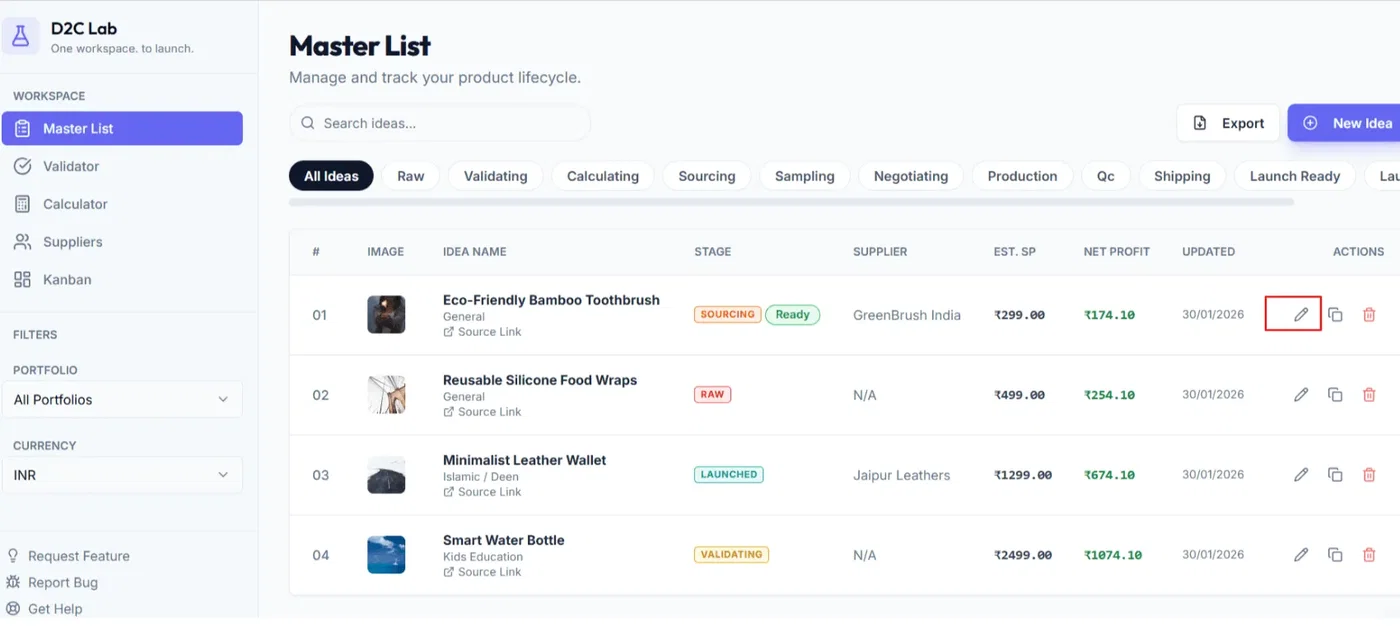
Step 3 — Update what you need
Common edits:
changing the selling price,
adding a better reference URL,
replacing the image,
updating the stage,
refining notes,
moving it to a different portfolio.
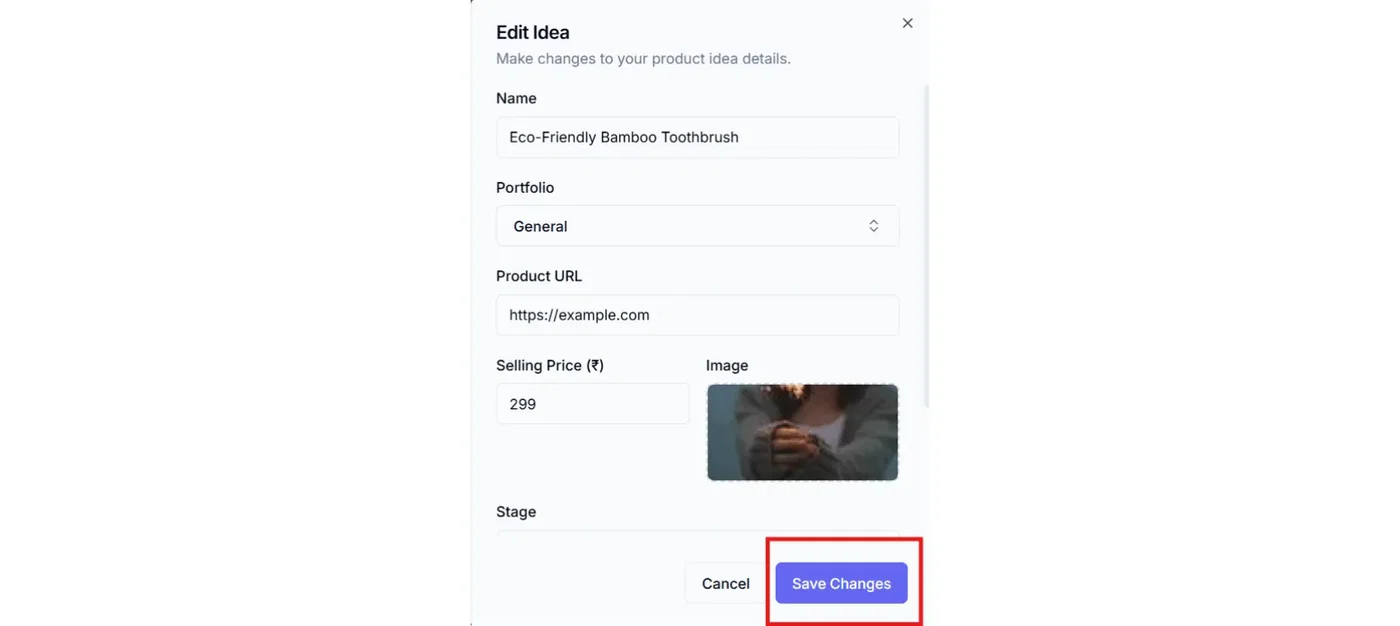
Step 4 — Save
Click Save to update.
Best practices (so your list stays clean)
Keep names consistent: include the product type + key variation.
Example: “Leather Passport Holder — RFID — Brown”.Don’t overthink early stages: in Raw, just capture enough to validate.
Use notes for decisions: why you liked the idea, what to test, what to avoid.
Use portfolios properly: by default everything goes into General. If you’re managing multiple brands/projects, select the right portfolio upfront so filtering works across tabs.
What happens next
Once an idea exists, the usual next step is:
Validator → start the checklist (stage becomes Validating)
Calculator → model unit economics (stage becomes Calculating)
Related articles
The D2C Lab workflow in one page (Idea → Launched)
Stages explained (Raw → Launched + Killed)
Master List: fields, actions, stage pill
Portfolios (how organizing works)