Portfolios (how organizing works)
What you’ll learn
What portfolios are, why they matter, and how to use them to organize ideas across D2C Lab.
What is a portfolio?
A portfolio is a simple way to group product ideas by brand, project, or business line.
Think of it like a folder:
One portfolio for each brand
Or one portfolio for each product line
Or one portfolio per client (if you’re managing multiple stores)
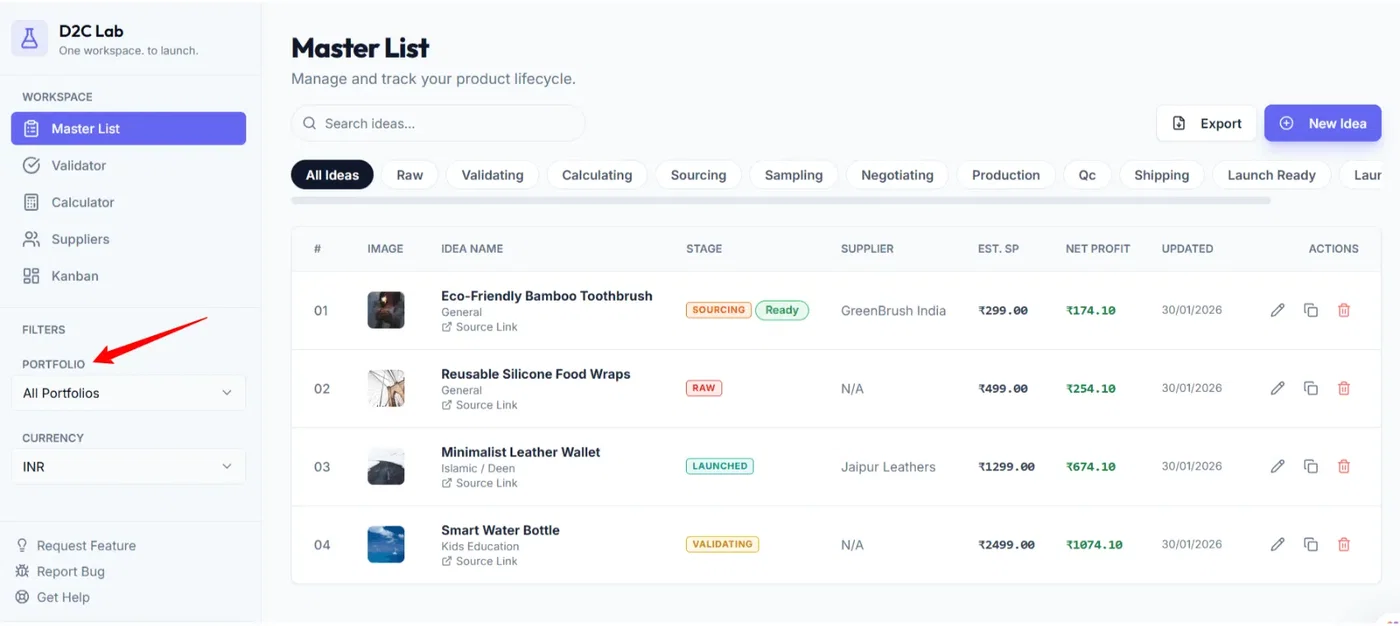
The default portfolio: General
Every workspace starts with a default portfolio called General.
General is the default for new ideas.
General can’t be deleted.
If you don’t want to organize yet, you can keep everything in General.
Why portfolios are useful
Portfolios help you:
Stay focused: work on one brand/project at a time
Keep your Master List clean: filter ideas to only what matters right now
Align your team: everyone sees the same filtered set across tabs
Reduce clutter: especially when you have many ideas in different stages
How filtering works
When you select a portfolio filter, it applies across all tabs:
Master List
Validator
Calculator
Suppliers
Kanban
So if you’re working on “Brand A”, you can filter once and your entire workspace updates.
How to assign a portfolio to an idea
Option 1 — During creation (recommended)
When you create a new idea (Add Idea), you’ll see a Portfolio option.
If you don’t change it, it stays in General.
If you want it under a different portfolio, select that portfolio before saving.
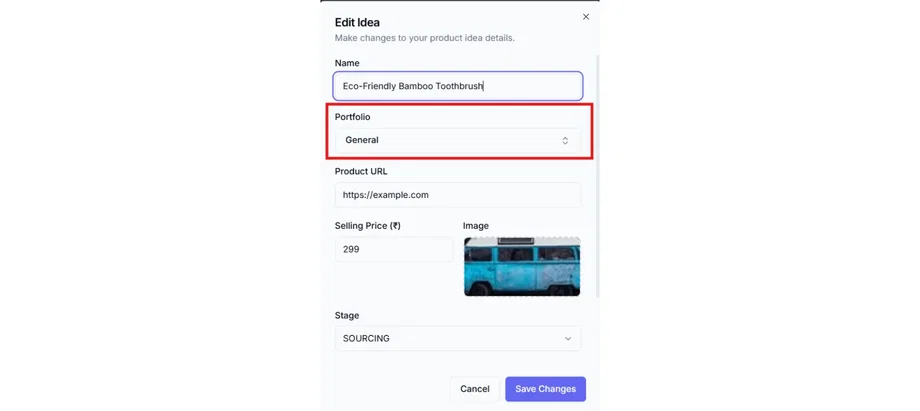
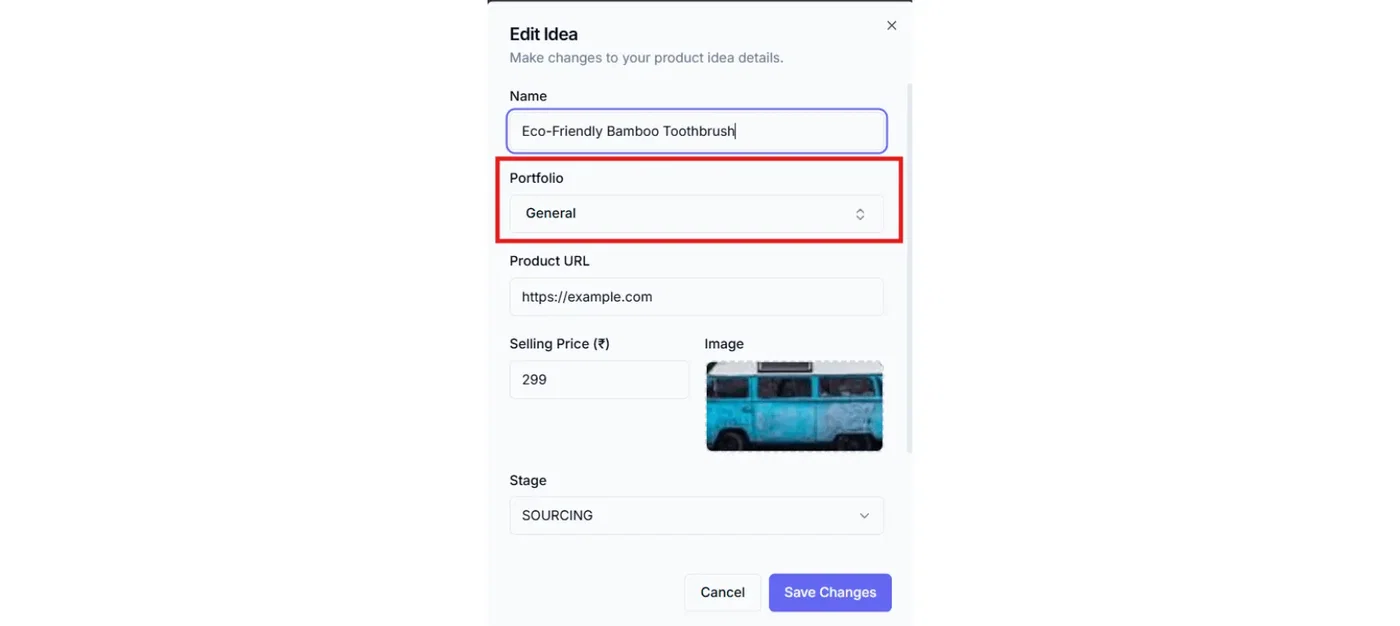
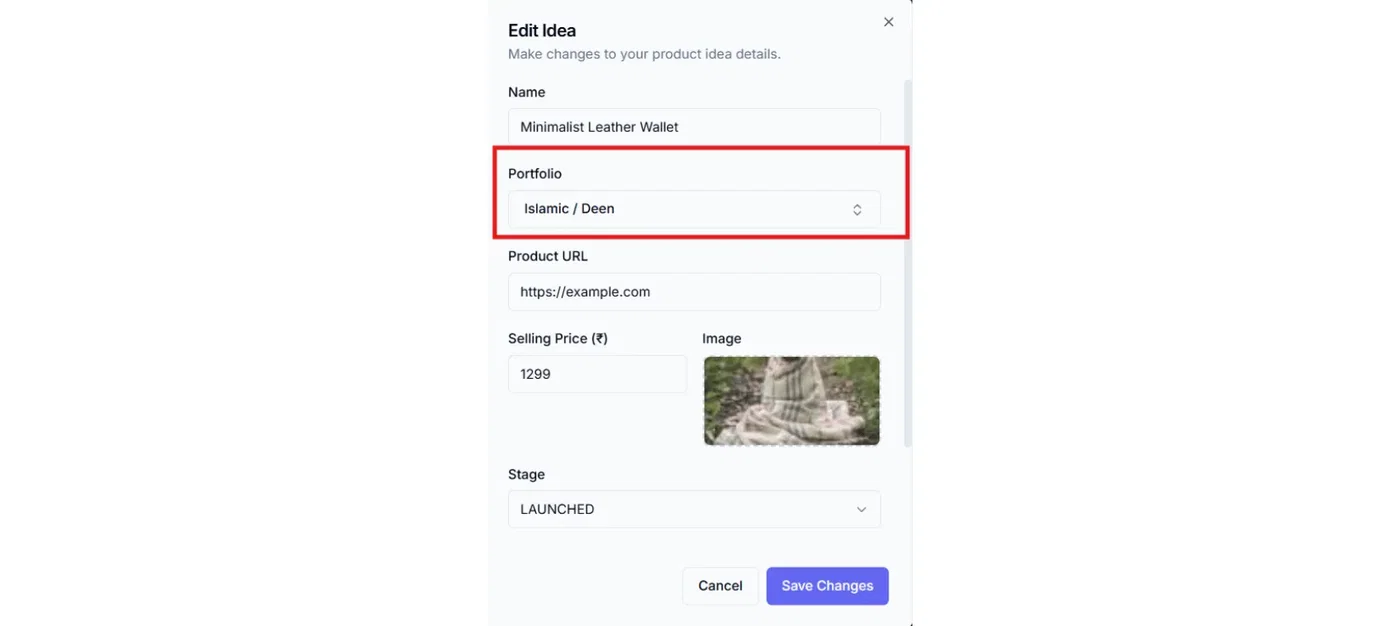
Option 2 — Edit later
You can change the portfolio anytime:
Open the idea in Master List
Click the Edit (pencil)
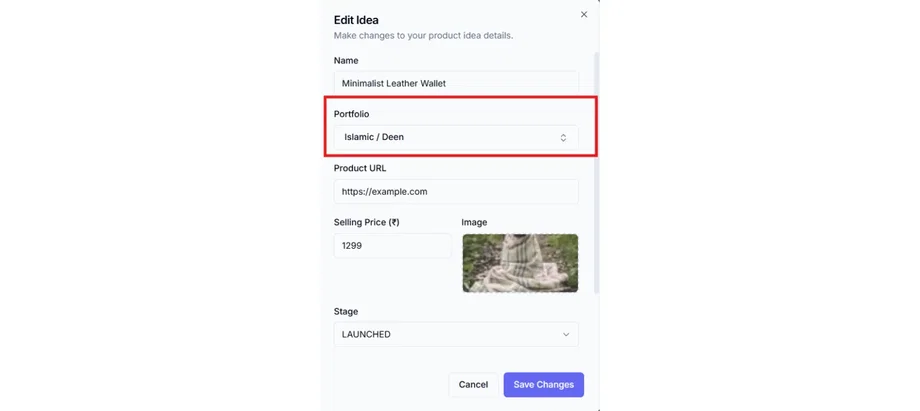
Change Portfolio
Save
How to create, rename, or delete portfolios
Portfolios are managed from the portfolio dropdown (in-modal selection).
Typical actions:
Create a new portfolio for a new brand/project
Rename a portfolio if your brand/project name changes
Delete a portfolio you no longer need (General cannot be deleted)
Best practices (simple rules)
Start with General if you’re early-stage.
Once you have multiple brands/projects, create portfolios and assign ideas properly.
Keep names short and clear (e.g., “DeenCraft”, “D2C Lab”, “Client – ABC”).
Don’t create too many portfolios—only create them if you’ll actually filter by them.
Related articles
Your first product idea (create + edit)
Master List: fields, actions, stage pill
The D2C Lab workflow in one page (Idea → Launched)