Kill gates explained (how to kill / revive quickly)
What you’ll learn
What Kill Gates are, how to use them to eliminate weak ideas fast, and how Kill / Revive works in D2C Lab.
What are Kill Gates?
Kill Gates are your non‑negotiable checks.
They exist for one purpose:
Stop you from wasting time and money on ideas that are unlikely to work.
If an idea fails a Kill Gate, you should usually kill it immediately (even if the idea feels exciting).
Why Kill Gates matter
Most founders lose time in two places:
validating too slowly, and
falling in love with ideas that don’t have strong fundamentals.
Kill Gates help you:
say “no” quickly,
keep your pipeline focused,
protect time and cash,
spend energy only on ideas that deserve it.
How to use Kill Gates (fast process)
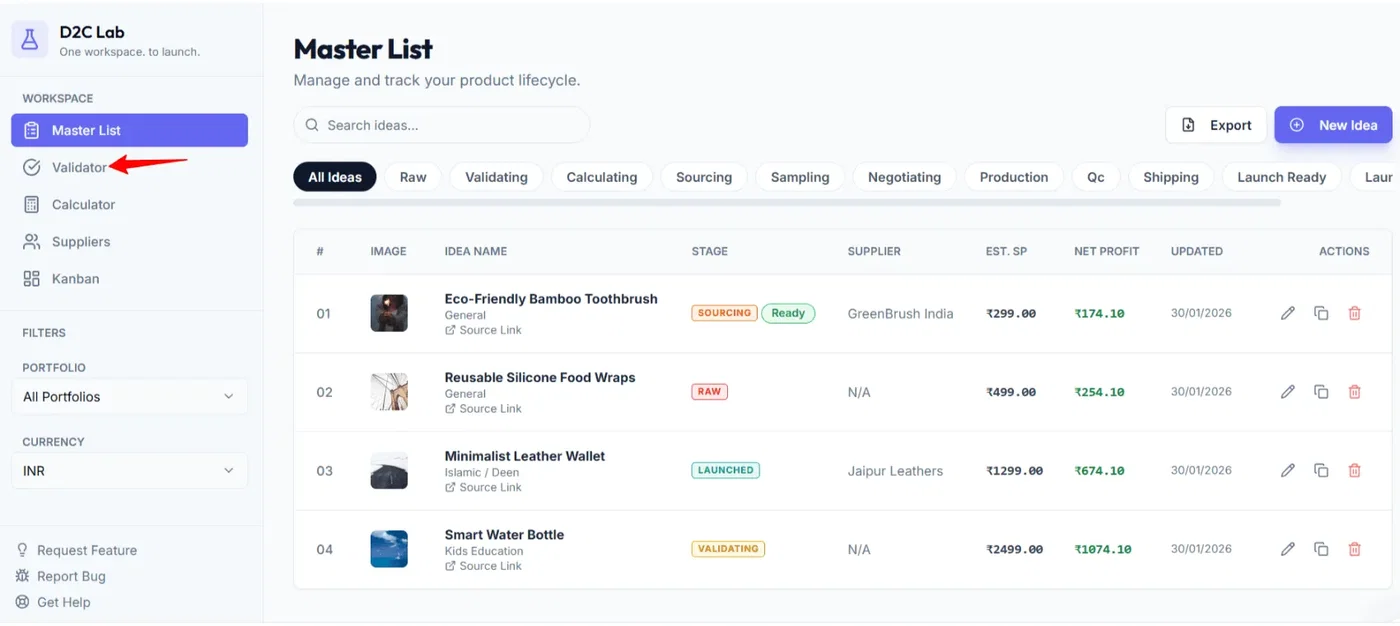
Step 1 — Go to Validator
Open the Validator tab and locate your idea card.
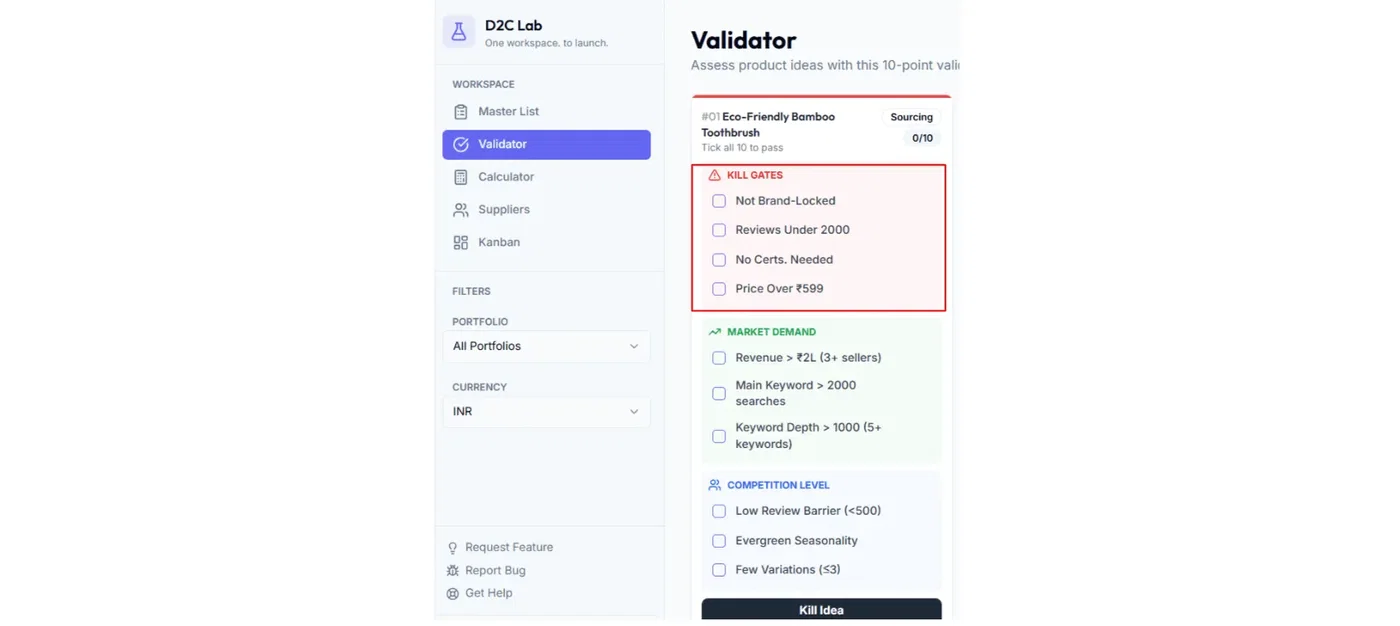
Step 2 — Start with Kill Gates
Always begin with the Kill Gates section.
Ask yourself: “Does this idea pass the basics?”
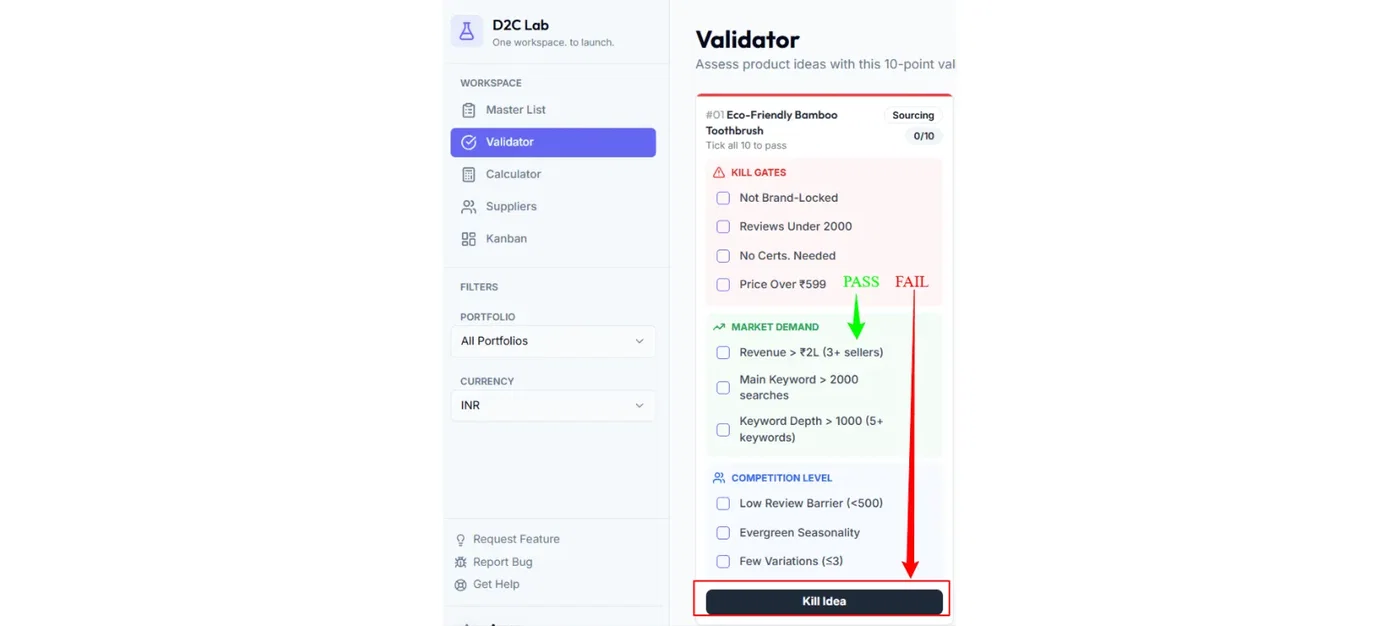
Step 3 — Decide quickly
If it passes, continue with Market Demand + Competition.
If it fails, Kill the idea and move on.
Tip: Don’t try to “make it work” if it fails Kill Gates. That’s exactly what Kill Gates prevent.
What happens when you kill an idea
Killing an idea:
sets the stage to Killed,
does not delete the idea,
keeps your notes and research,
removes it from your active workflow focus.
You can still open it later and see everything you captured.
How to revive an idea
Sometimes timing changes (new supplier, new market trend, new budget). If you want to revisit an idea:
Open the idea in Validator (or wherever you view the idea)
Click Revive
The idea returns from Killed back into the normal workflow stages.
Best practices (to keep your pipeline clean)
Treat Kill Gates like a “first filter.”
Kill fast. It’s normal to kill many ideas.
Keep one short note when you kill an idea (why it failed).
Revive only if something meaningful has changed.
Common examples of Kill Gate decisions
Use these as thinking examples (not strict rules):
If it requires heavy customization or complex operations → likely a Kill Gate.
If you can’t see a clear differentiation angle → likely a Kill Gate.
If the numbers will never work at realistic costs → likely a Kill Gate.
Related articles
Validate with checklists (Validator)
Stages explained (Raw → Launched + Killed)
Model profitability (Calculator)