Capture an idea (URL import vs manual)
What you’ll learn
Two ways to capture a product idea in D2C Lab:
Manual entry (fastest when you already know the idea)
URL import (best when you want to reference an existing product listing)
Option 1 — Manual entry (recommended for speed)
Use this when you just want to capture the idea quickly and move on.
Steps
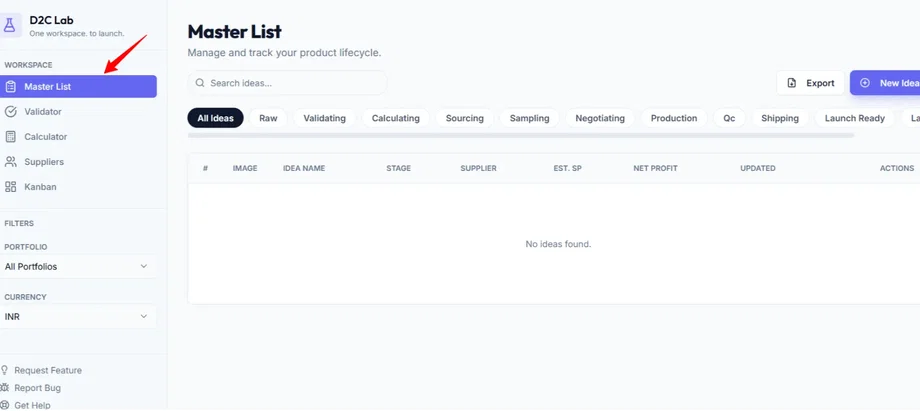
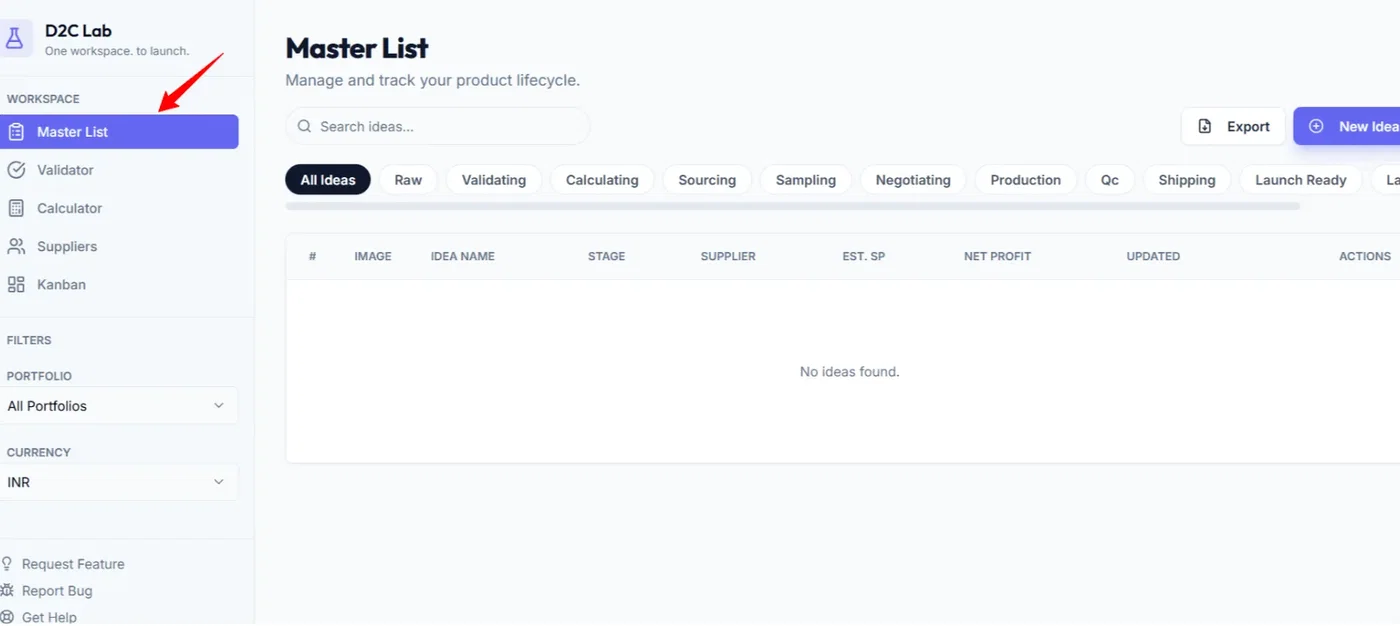
Go to Master List
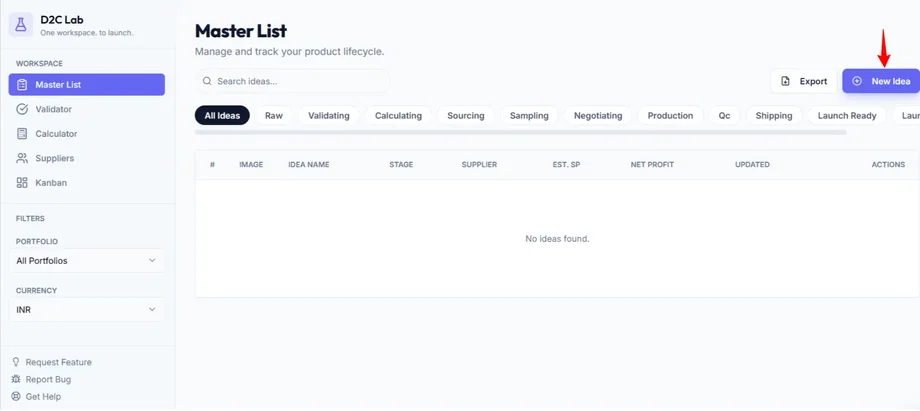
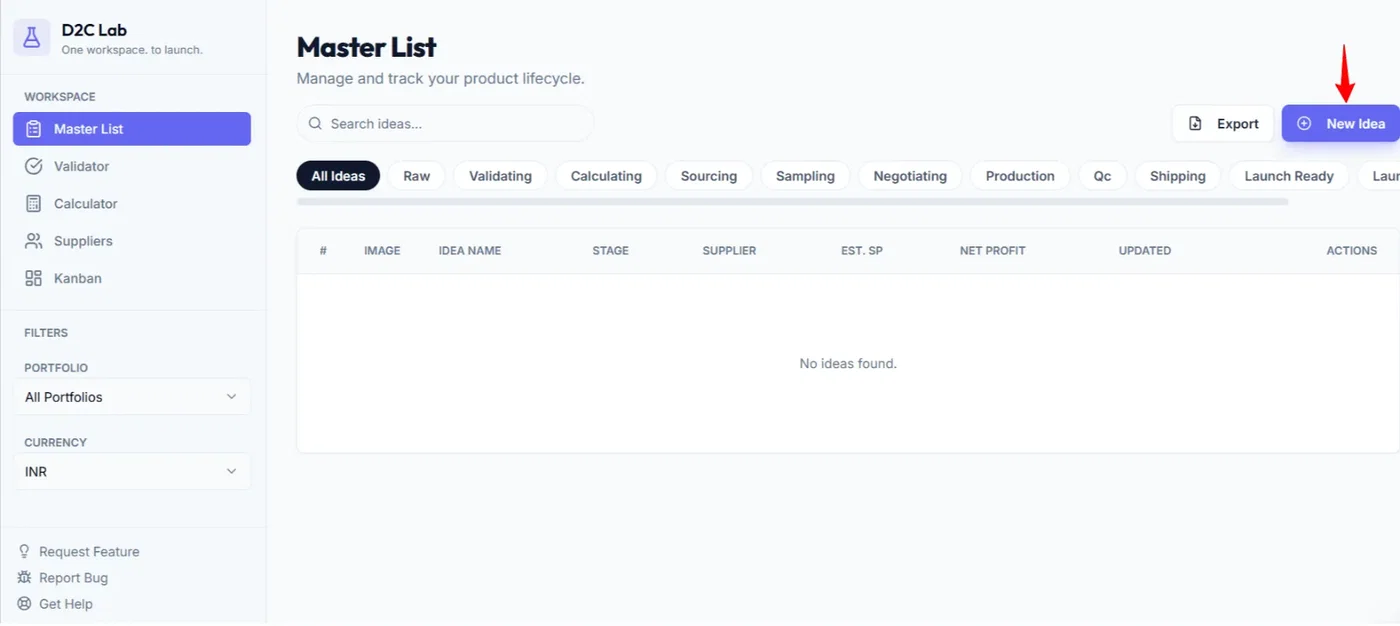
Click Add Idea
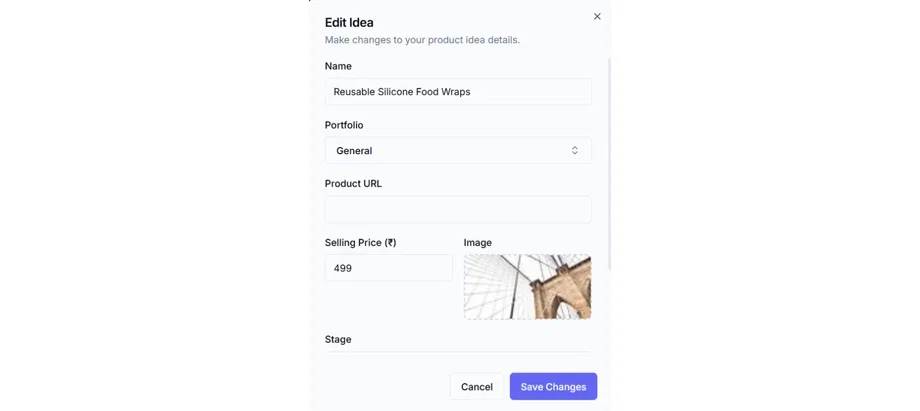
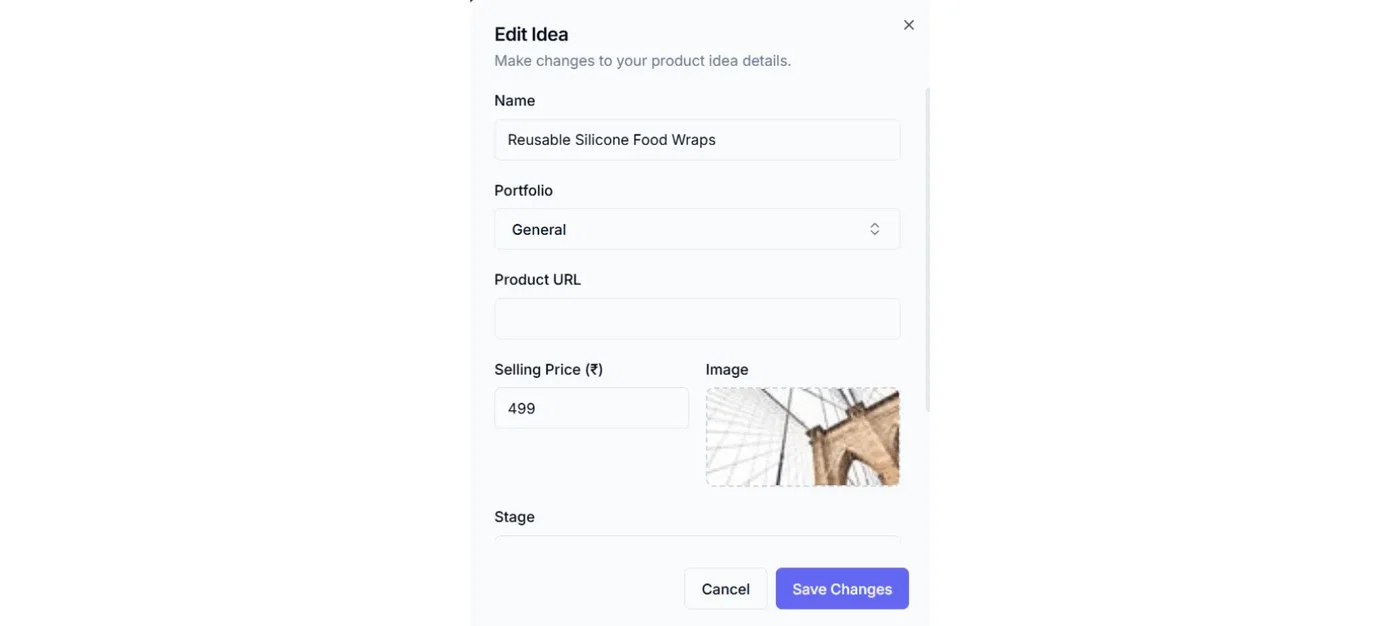
Enter the basics:
Idea name
Selling price (estimate is fine)
Image (optional)
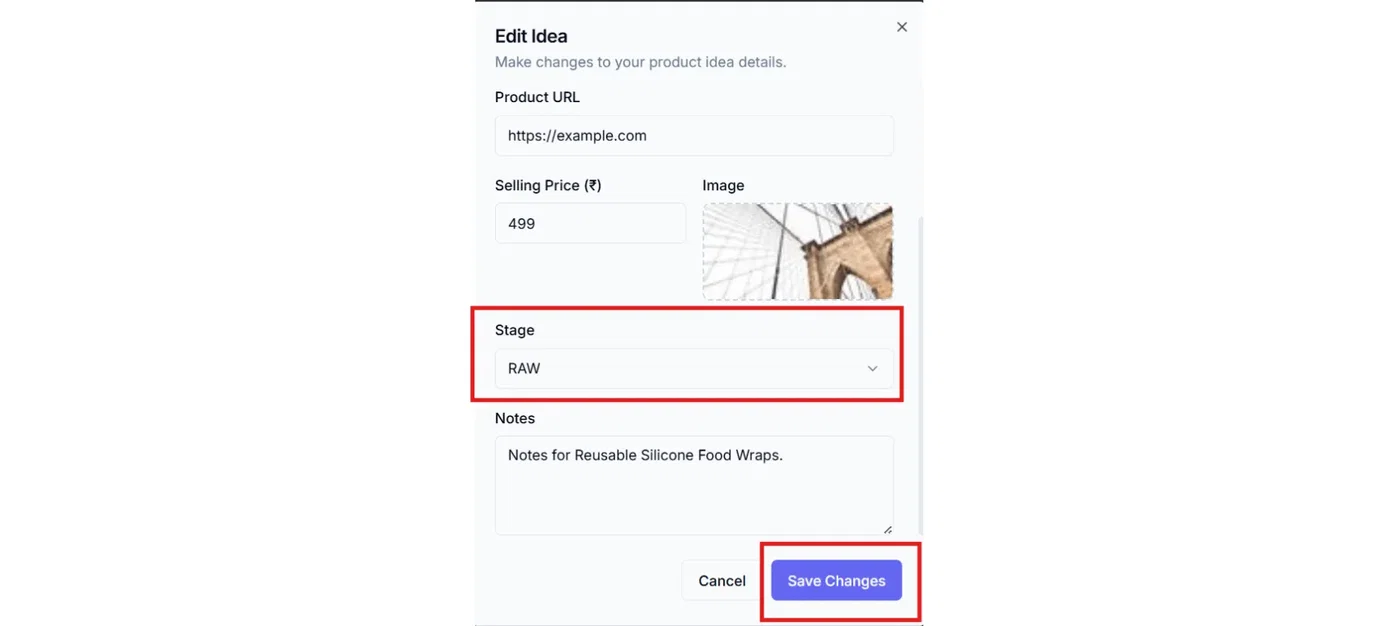
Notes (optional)
Portfolio (optional — defaults to General)
Set stage as Raw
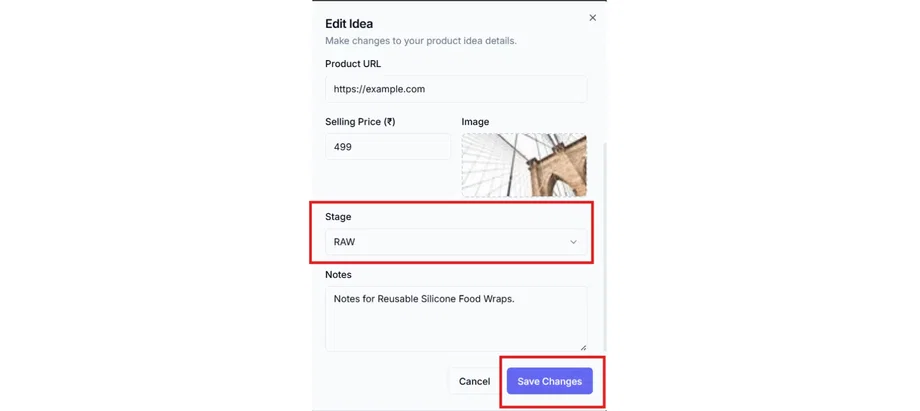
Click Save
When manual entry is best
You’re brainstorming multiple ideas quickly
You don’t have a reference listing yet
You want to validate before spending time on research
Option 2 — URL import (reference-based capture)
Use this when you’re inspired by an existing product and want to keep the source link attached to the idea.
Steps
Go to Master List
Click Add Idea
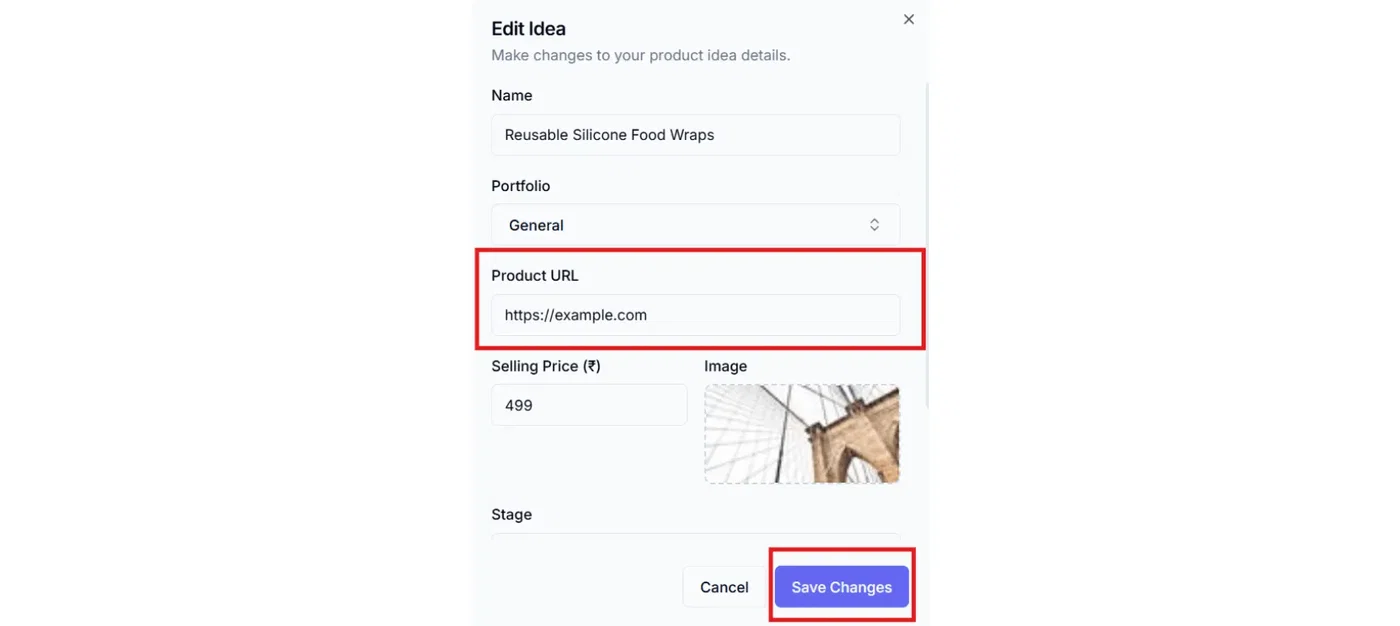
Paste the Product URL
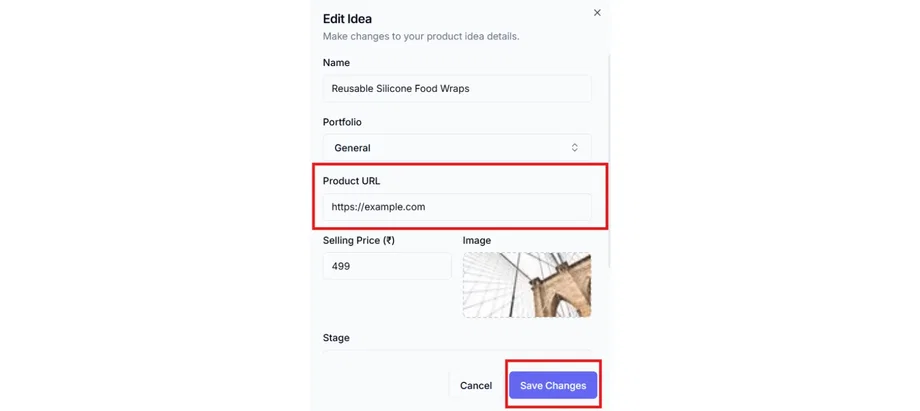
Confirm/enter key fields:
Idea name (rename it to your version, not the competitor’s title)
Selling price (your target price)
Image (if available)
Notes (what you liked, what you’ll improve)
Portfolio (optional — defaults to General)
Click Save
When URL import is best
You found a product on Amazon/Shopify/etc. and want to keep the reference
You want quick access back to the source for validation and comparisons
You’re building a “shortlist” from existing bestsellers
Which option should you choose?
If your goal is speed: Manual entry
If your goal is accuracy and reference tracking: URL import
Most founders do this:
Capture 10–20 ideas quickly via Manual entry
For the best 3–5, add Product URLs so the research is tied to each idea
Best practices (keep your ideas clean)
Rename imported ideas to your internal naming style (don’t copy competitor titles).
Use Notes to capture what you’ll differentiate (material, size, bundle, positioning).
Keep Selling price as an estimate at first—refine it after Calculator + supplier quotes.
Use Portfolio if you manage multiple brands/projects. Otherwise keep it in General.
What happens next
After capturing an idea, the next step is usually:
Validator → start checklists (stage becomes Validating)
Calculator → model unit economics (stage becomes Calculating)
Related articles
Importing from a product URL (what gets captured)
Your first product idea (create + edit)
The D2C Lab workflow in one page (Idea → Launched)
Validator: checklist sections + completion colors