Billing & subscription (plan, receipts, payment method)
What you’ll learn
How to view your current plan, manage your subscription, update your payment method, and download receipts in D2C Lab.
Where to find Billing & Subscription
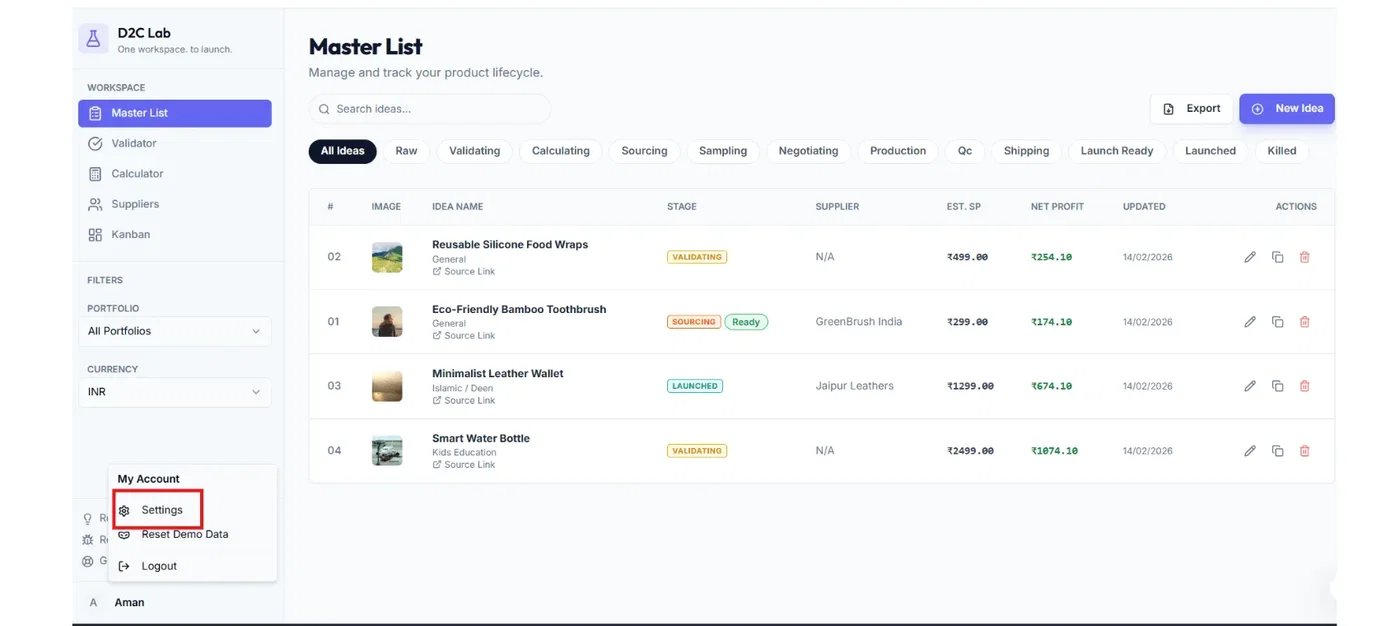
Click your profile / admin icon (usually in the sidebar)
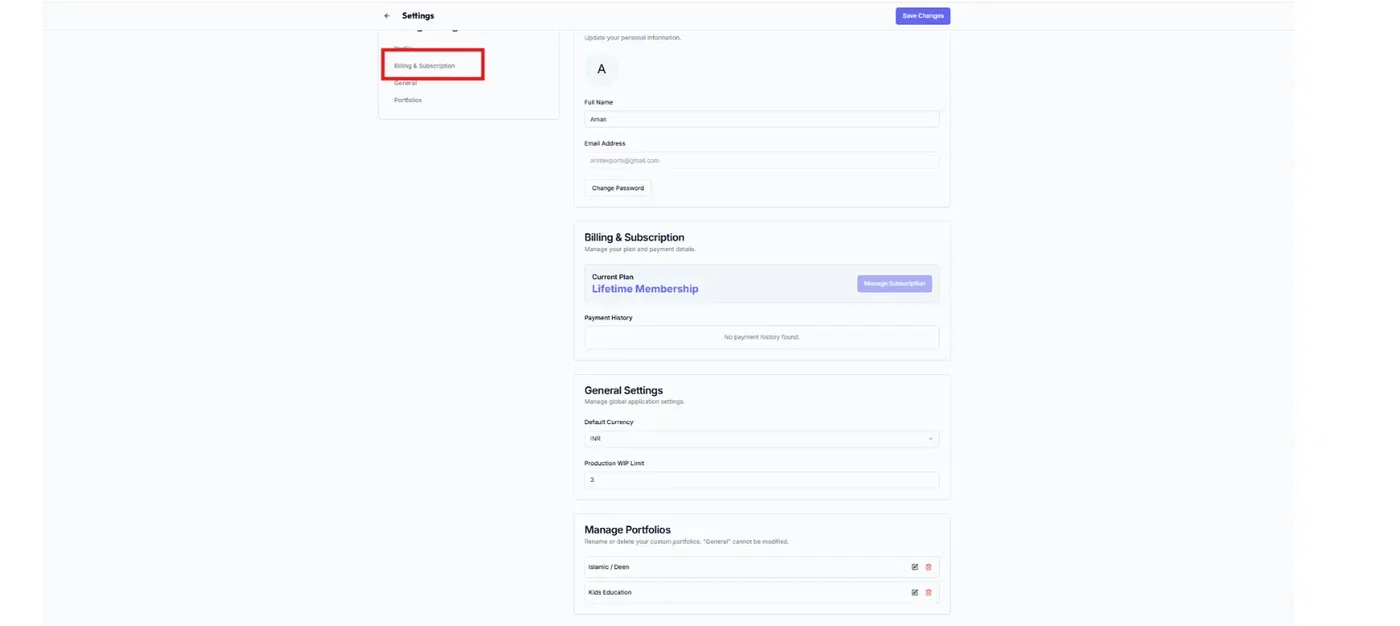
Select Billing & subscription
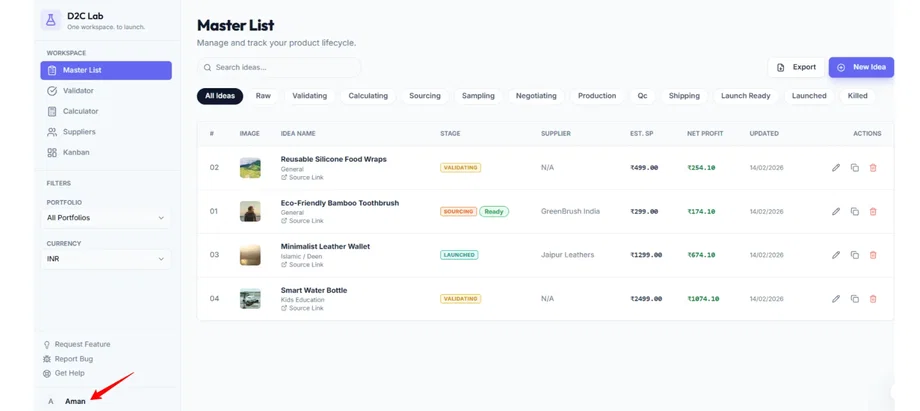
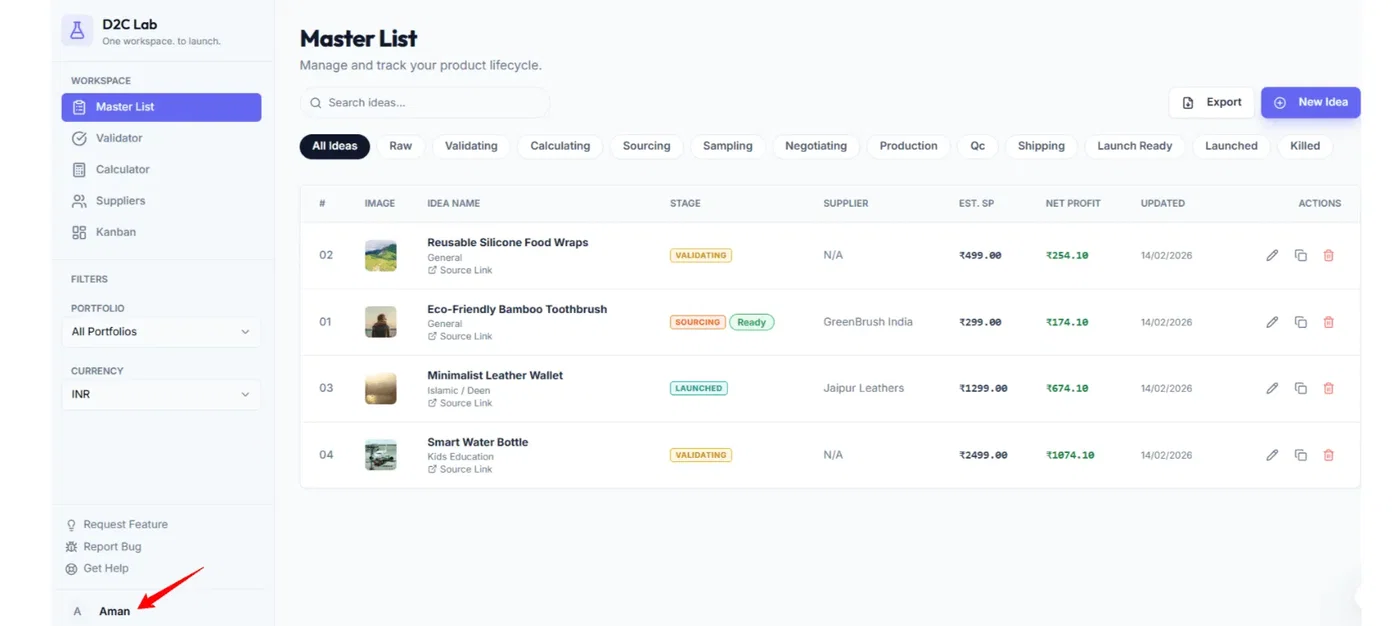
This opens your billing dashboard.
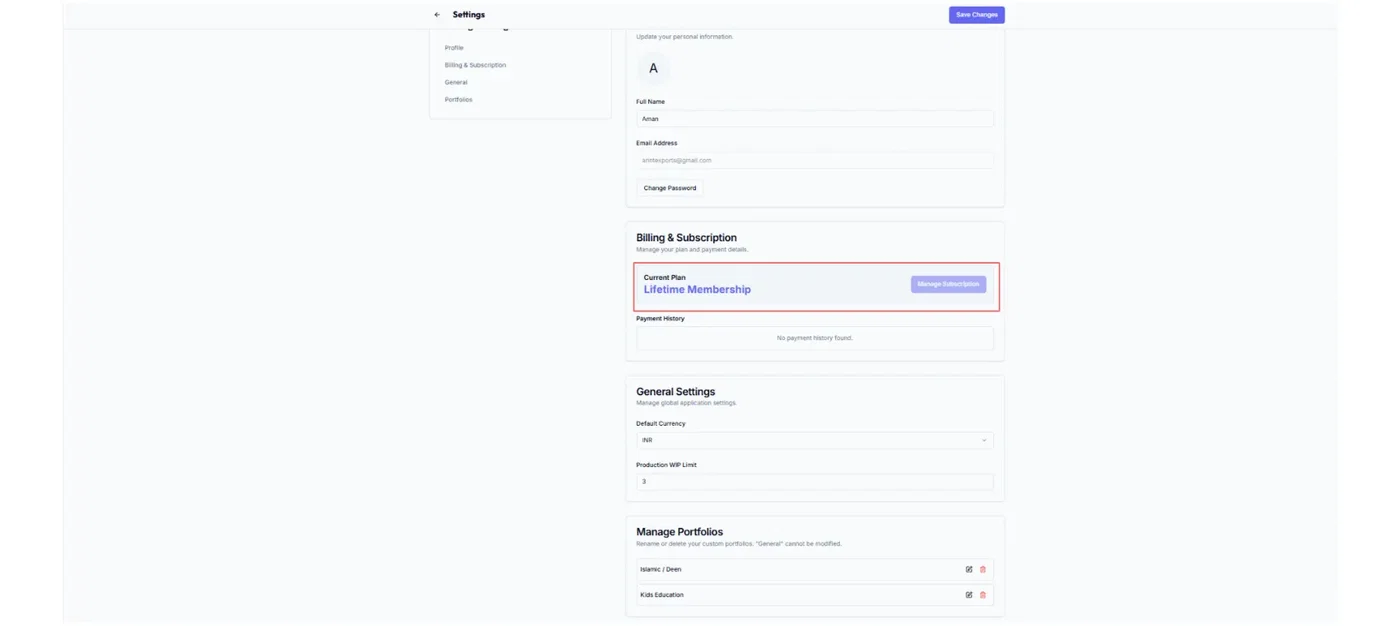
1) View your current plan
On the billing page you can see:
your current plan name
billing status (active / cancelled, if shown)
renewal details (if shown)
Tip: If you purchased a Lifetime Deal, your plan may be shown as Lifetime or LTD.
2) Update your payment method
Use this if your card has expired or you want to change the card used for billing.
Steps
Open Billing & subscription
Find Payment method
Click Update payment method
Enter the new card details
Save
3) Download receipts
Use this when you need proof of payment for accounting or reimbursements.
Steps
Open Billing & subscription
Find the Receipts / Invoices section
Click Download receipt (or the receipt row)
Best practice:
Save receipts in a folder like:
D2C Lab / Billing / Receipts
4) Manage subscription (upgrade / downgrade / cancel)
Depending on your plan and what’s enabled in your account, you may see options to:
upgrade your plan
change billing cycle
cancel subscription
If you don’t see these options, it usually means:
you are on an LTD plan, or
plan changes are handled outside the app.
Troubleshooting
Paid but can’t access the app
Try these quick fixes first:
log out and log in again
try an incognito window
clear browser cache for the site
If it still doesn’t work, report it here:
feedback.d2clab.co → Bug Reports
Receipt download doesn’t work
refresh once
try a different browser
try from desktop if you’re on mobile
Related articles
Profile settings (name, photo, password)
Forgot password / reset link
Login issues after payment (common fixes)